Built by a working editor · 250M+ views cut for
 Kwebbelkop
 McCreamy
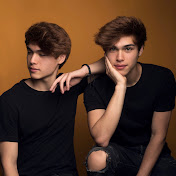 Stokes Twins
 Packgod
 Loserfruit
 FNATIC
 Ben Black
 Gyminny Kids
KwebbelkopMcCreamyStokes TwinsPackgodLoserfruitFNATICBen BlackGyminny Kids
Gyminny Kids
KwebbelkopMcCreamyStokes TwinsPackgodLoserfruitFNATICBen BlackGyminny Kids
It learns your style, then does the boring half.
7-day free trial · No credit card required · All tools included
Built by a working editor · 250M+ views cut for
KwebbelkopMcCreamyStokes TwinsPackgodLoserfruitFNATICBen BlackGyminny Kids
KwebbelkopMcCreamyStokes TwinsPackgodLoserfruitFNATICBen BlackGyminny Kids
After Effects
Describe a motion graphic. Get layers you can still edit.
Real shape layers, real paths, real keyframes — built in your project, not rendered into a file you have to accept. Stock After Effects only, so nothing stops resolving without a plugin.
See what FrameMotion does →
Each one analyses the sequence, does the tedious part, and hands it back as normal clips on labelled tracks. Nothing is locked, nothing is rendered, nothing is decided for you. Click any tool to see how it works.
Onboard a client once. Show FramePal five of their finished videos, tell it the brief, and every edit after that already knows the style.
Measured off the files with ffmpeg — not guessed. Every tool opens on these numbers.

I'm Titan. I edit full time — around 250 million views of delivered work for channels like the Stokes Twins, Kwebbelkop and McCreamy. Most of that job isn't editing. It's hunting for a reaction clip, cutting dead air, keyframing the four-hundredth zoom.
FramePal does that half for me, in my style, so I get to the part that actually needs an editor hours earlier. It's an assistant, not a replacement — you still make every call.
See my editing work → ST
ST
 KK
KK
 MC
MC
+ Packgod, Loserfruit, FNATIC, Ben Black and more
One client video, broken down by what actually eats the hours.
Illustrative, from my own edits — your numbers depend on the footage and the brief. The creative pass doesn't shrink, and it isn't supposed to.
"Really good just needs debugging"
Studio starts with a 7-day free trial, everything unlocked. Cancel in two clicks from your dashboard.
The Premiere Pro side
Both apps, every tool
For teams and agencies
$40/month for 2 seats
Premiere Pro 25.6 and newer. Windows support and DaVinci Resolve and Final Cut are in development. The download page always lists exactly what the current build needs.
Your footage stays on your Mac unless a feature you press needs it to leave. Most passes only send the relevant part of the transcript. The exceptions are AI VFX (the segment you marked is uploaded to be restyled), Auto-transcribe (audio rebuilt from your sequence is uploaded to be transcribed) and the passes that look at the picture, which send small frames. Nothing is stored on our servers — the privacy policy names every case, and every company that processes any of it.
You point FramePal at five delivered videos from a client. It analyses the pacing, cut rhythm, caption style and colour, then matches them. Keep one profile per client and switch between jobs in a click. Profiles are per-account and never train a shared model.
No — and it can't. FramePal has no taste. It doesn't know which joke lands, where a story should breathe, or what a client actually meant by "make it punchier". It does the labour: finding takes, cutting dead air, placing inserts, syncing zooms. You still make every judgement call and sign off on every change. The editors who get squeezed are the ones competing on hours, not the ones competing on taste.
Yes — every license activates on up to 2 devices. Free a slot anytime from your dashboard, so switching machines never needs a support ticket.
The panel locks, your timeline doesn't. Everything FramePal placed stays in your project as normal clips forever. Subscribe from your dashboard to keep going.
Yes — self-serve in the dashboard, two clicks, and your license stays active until the end of the billing period. No emails, no retention calls.